Change WordPress Default Username in phpMyadmin Database
Harvey Feriors
Editor
Published
Harvey Feriors
Editor
Published
Normally, you can change WordPress username in the Users setting of the WordPress website. But not for the change of default username that was created since the creation of that WordPress website (first username since you install WordPress on the server).
When you try to change WordPress default username in the Users setting, in that username field you’ll find “usernames cannot be changed”.
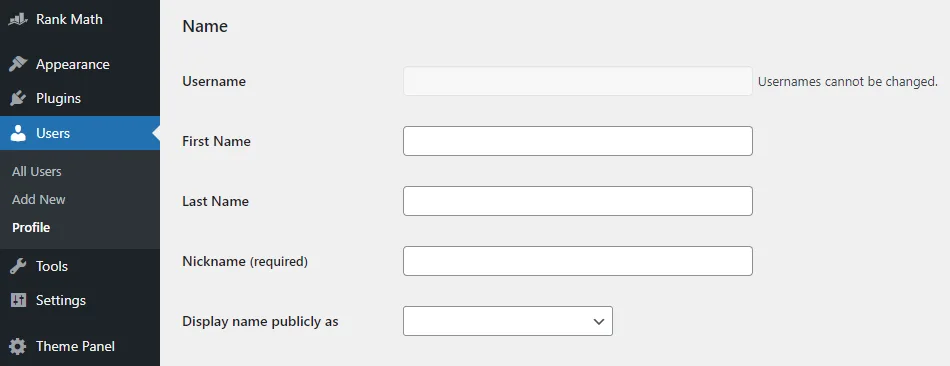
Normally, you can change WordPress username here but not for the default username.
Luckily, it’s not impossible to change WordPress default username. The default WordPress username is still able to change in your database by using phpMyadmin. Furthermore, in case you forgot WordPress login username but you still able to access the database via phpMyadmin this tutorial is also useful as the following guide.
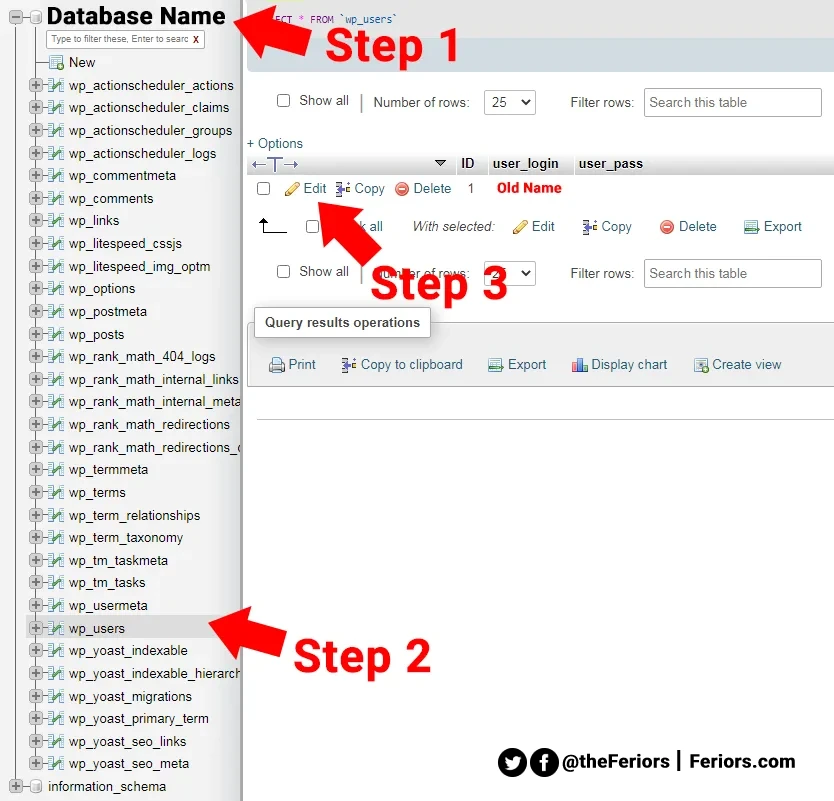
First, you need to log in to your phpMyadmin and select the database table of your installed WordPress.Then, you need to click on the database name to expand all tables within it.
Find the wp_users table and click on it (as the step 2). In wp_users you’ll see all users of your website, it looks similar to the image below.
Then, click “edit” in front of the username that you need to edit its username (as the step 3).
After you click edit, you will get in to table as an image below. To change WordPress username login, just change the username value of user_login as you want (as the step 4).
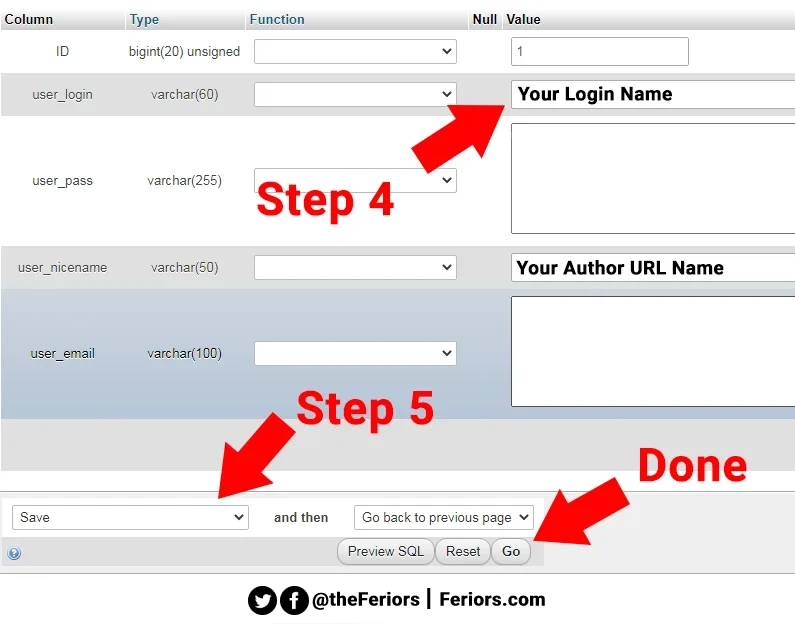
Finally, select “Save” (as the step 5), and click “Go” to save your setting.
In case you want to change WordPress default username by phpMyadmin, you need to follow 5 simple steps.
Step 1 - Go to the WordPress database table
Login to phpMyadmin and select the database table of your website.
Step 2 - Select “wp_users” table
Select “wp_users” table and click on it.
Step 3 - Edit the user
Click “edit” in front of the user that you want to edit the username.
Step 4 - Change the value of the user_login row
Change the username value of user_login as you want.
Step 5 - Save
Select “save”, and click “go” to execute the command.